Manage Billing
The Manage billing section allows you to review your subscription details, payment information, billing cycle, invoices, and license holder information. From this page, you can update your payment method, edit billing details, and manage subscription renewal.
Access Manage Billing
In WebClient, open the Settings/Admin overview and select Manage billing.
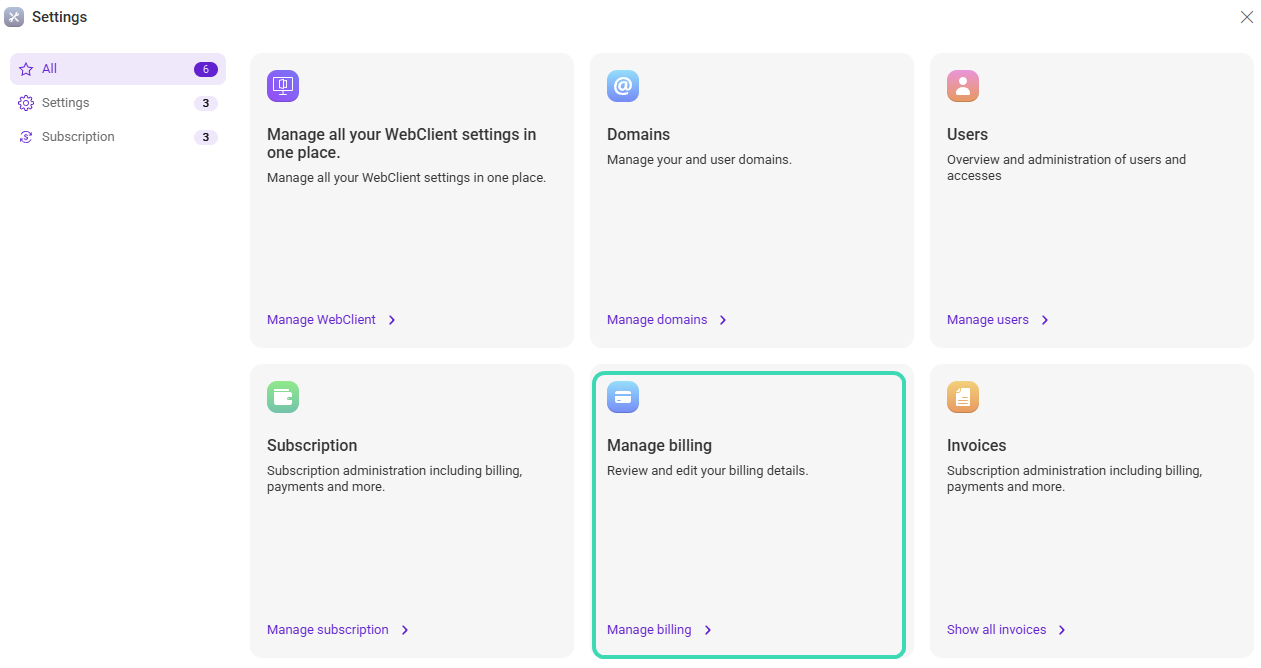
Figure 1. Manage billing entry in the Admin overview.
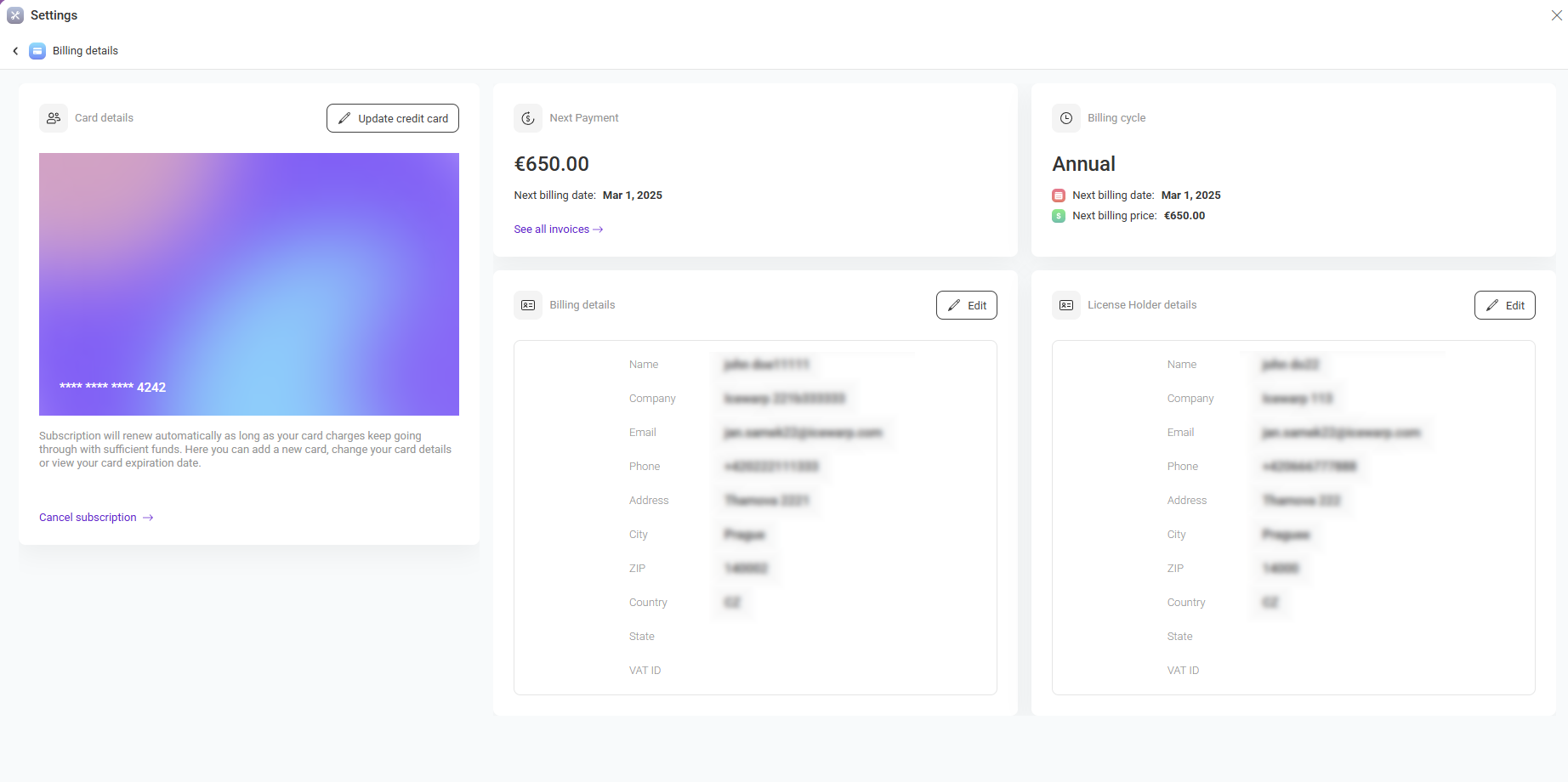
Figure 2. Billing details overview page.
Billing Overview Sections
The billing page is divided into several sections described below.
| Area | Description |
|---|---|
| Card details | Displays the currently stored payment card. Use Update credit card to change payment information. The subscription renews automatically if valid payment details are available. |
| Next payment | Shows the upcoming payment amount and the next billing date. Use See all invoices to review invoice history. |
| Billing cycle | Displays the current billing frequency (for example, Annual or Monthly), the next billing date, and the price for the upcoming cycle. |
| Billing details | Contains billing contact information used for invoices: name, company, email, address, VAT ID, and phone number. Click Edit to update billing data. |
| License holder details | Displays the official license holder information. This may differ from billing details. Click Edit to modify the license holder record. |
| Cancel subscription | Allows you to stop automatic renewal. After cancellation, the subscription remains active until the end of the current billing period. |
Invoices
Invoices provide a detailed record of charges and payments.
| Item | Description |
|---|---|
| Invoice number | Unique identifier of the invoice. Click the invoice number to open full invoice details. |
| Due date | Indicates when payment must be completed. |
| Status | Shows whether the invoice is paid, unpaid, or overdue. |
Related sections
- Manage subscription plans in Subscription.
- View invoices in Invoices.

