White Labeling Tools
Background image management
In this section you can choose the image from the list of preset images or upload your own image.
-
To use the preset image, click the thumbnail of the selected image
-
To use your own image, click Upload Custom Background and choose an image from your computer
Note: The background image type should be: jpeg, jpg, png or gif. The system will choose the highlighting color automatically and assign it to the buttons.
The final result will be displayed in the preview window on the right.
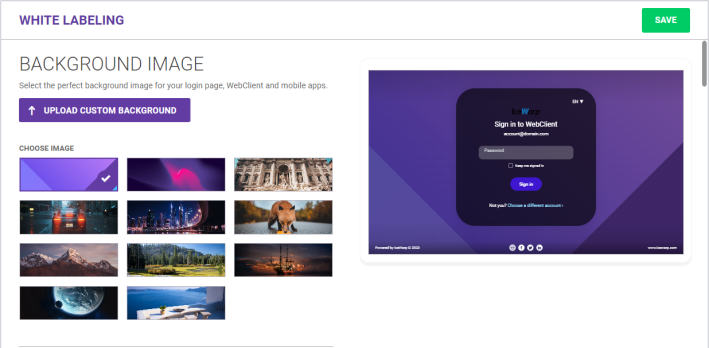
Figure. White labeling.
Login screen skin
In this section you can set the login logo, server language, login page options, custom sign up fields, sign up verification, social integrations, etc. See Login Screen Skin.
WebClient skin, WebAdmin skin
In these sections you can set the page titles and the skin styles. See WebClient Skin and WebAdmin Skin.
Banner Ads
In this section you can manage the way how your banner ads will look on the login page, and in WebClient. See Banner Ads.
Conferencing
In this section you can upload the conferencing logo and assign the URL address where the user will be redirected after finishing the conference. See Conferencing.

