Service - Access

The Access tab lets you manage access to the services.
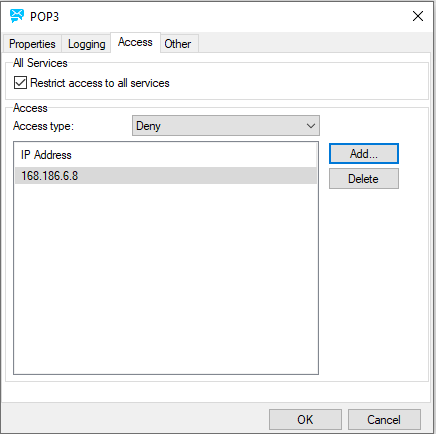
Figure. Service dialog: Access tab.

The Access feature acts as a basic firewall and allows you to block or grant access to specific IP addresses that try to connect to your server.

This is not an anti relaying option, and normally you would not need to use this feature.

Field

Description

Restrict access to all services

This option affects all services.

Check this box to enable the feature.

Access type

  • Grant: means only the listed IPs will be able to establish connections to your server.

  • Deny: means the listed IPs will not be allowed to connect.

IP Addresses

You can specify full IP addresses here or subnets (masked IP addresses). CIDR notation/ranges can be used.

Multiple entries are allowed, separated with semicolons.

Example:

192.168.*.*;127.0.0.1;192-193.*.*.*;[Firewall]

Note: [Firewall] here as in Patterns .

Add

Click the button to add a new IP address. The IP Address dialog appears. See Service - Properties.

Delete

Click the button to delete the selected IP address.