Target Machine
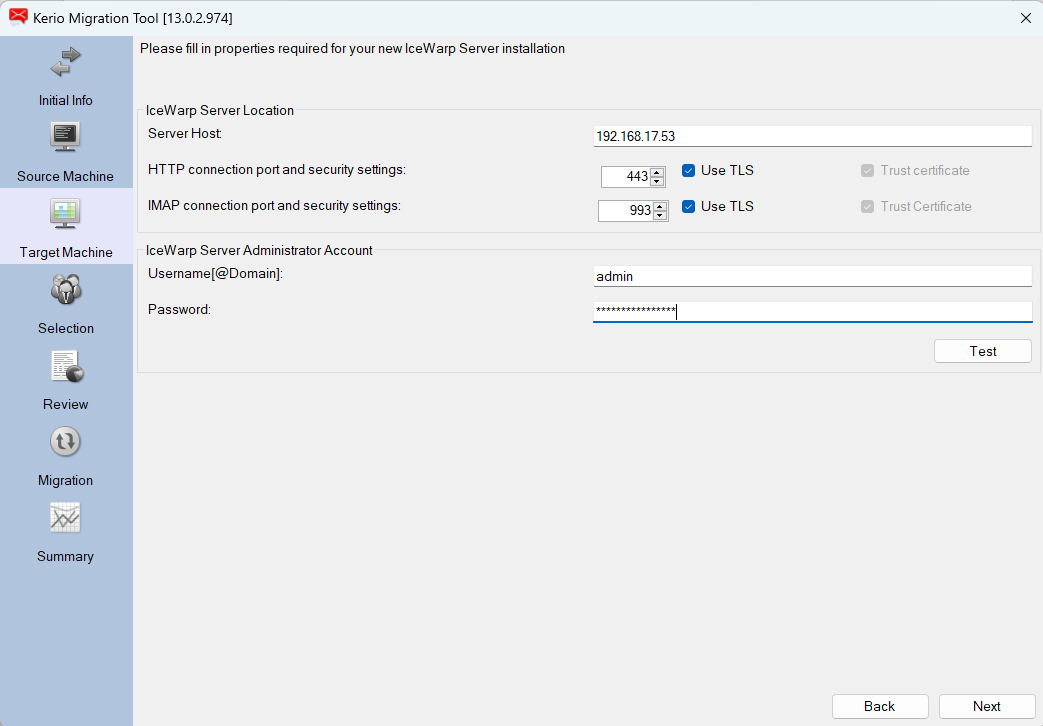
Figure. Initial Target machine screen.
IceWarp Server location
|
Field |
Description |
|---|---|
|
Server Host |
Enter the Icewarp cloud address. |
|
HTTP connection port and security settings |
Enter the 443 port and enable Use TLS checkbox. |
|
IMAP connection port and security settings |
Enter the IMAP port, usually it is 143 or 993. Use TLS is enabled with port 993. |
IceWarp Server Administrator Account

