How to give access to other accounts
You can allow access to any other account in the IceWarp Desktop Client.
-
Right-click the folder you want to give access to.
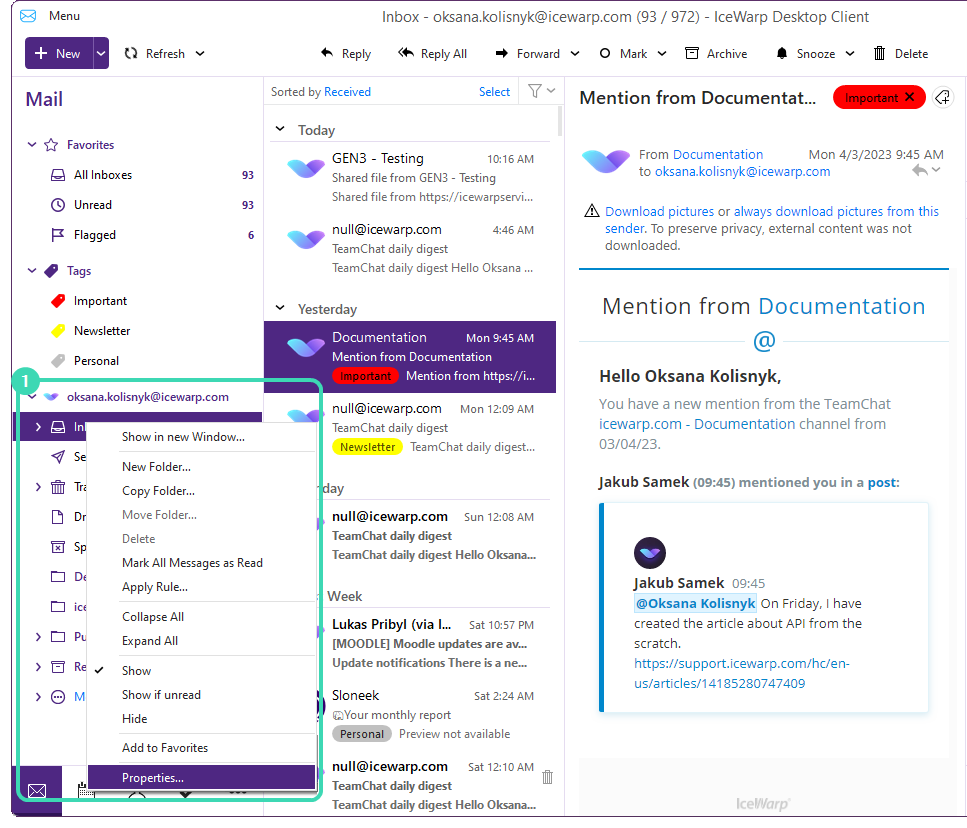
Figure. Giving access to a folder.
-
In the menu, select Properties.
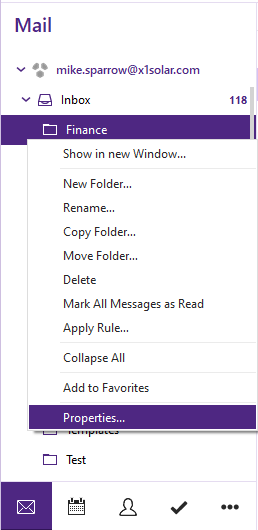
Figure. Properties option.
-
In Folder Properties dialog, click the Access Control tab to select users you want to give the access to.
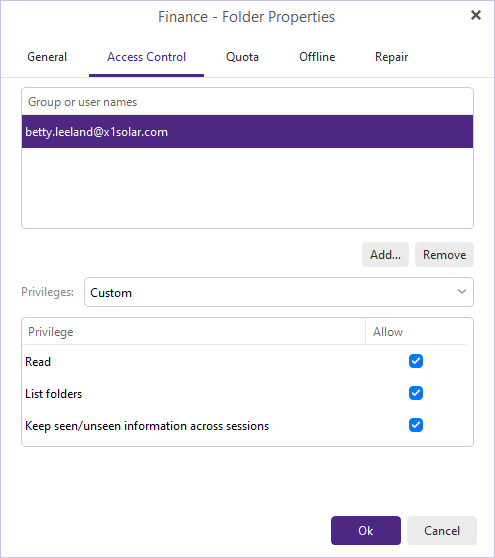
Figure. Folder Properties.
-
Click Add button to select Group(s) or User(s).
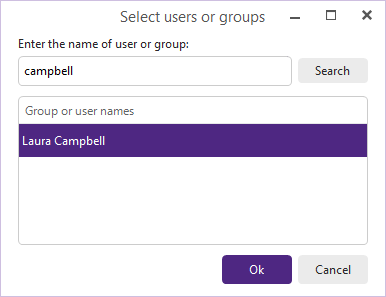
Figure. Section of users or groups.
-
In the last step, select Privileges for individual users (you can choose from Read, Write and Custom options) – click a user and check the correct boxes. Click OK.
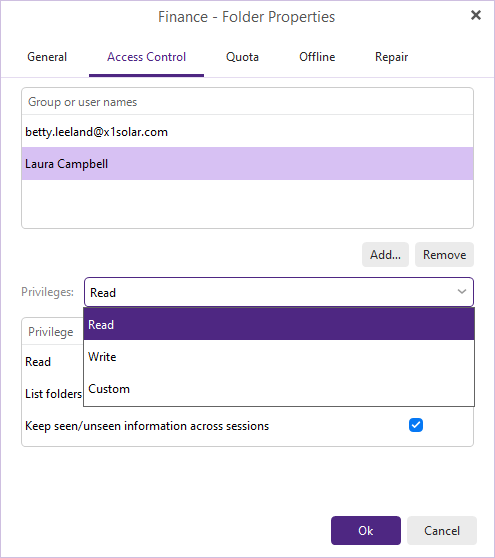
Figure. Selection of privileges.

